


Direct Factory Xiamen, China | OEM / ODM Custom Builds | 100% Tested Pre-Shipment QC | CE · FCC · UL Certified |
"AI kiosk" is the phrase every display vendor leans on this year. Facial recognition, voice control, smart product suggestions — it all sounds like the obvious next step. Yet for a procurement lead specifying terminals for a retail chain, a hospital network, or an airport, the marketing gloss is not the decision. The real question is narrower: does the AI layer pay for itself in your environment, or are you about to fund features your customers will never touch?
The blunt answer is that it depends — and far more often than buyers expect, the honest recommendation is a plain touch screen kiosk. Standard self-service terminals already cover the overwhelming bulk of ordering, check-in, and wayfinding jobs. AI hardware earns its place in a handful of specific situations and quietly drains budget everywhere else. This guide is built to help you tell those two apart before a purchase order goes out.
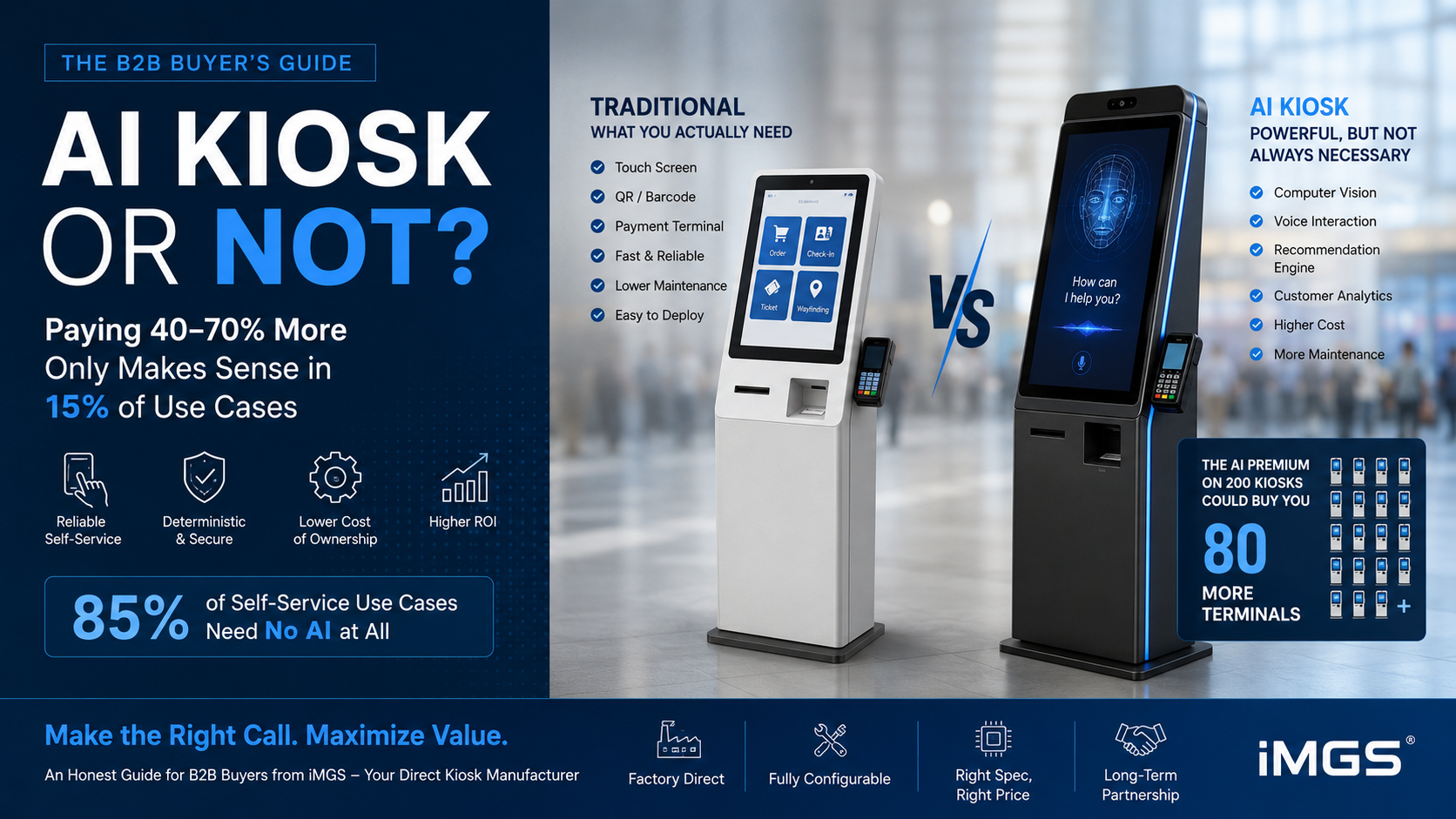
40-70% | How much more an AI-equipped unit typically costs versus a comparable touch screen kiosk of the same size |
~85% | Rough share of self-service tasks (ordering, ticketing, check-in, wayfinding) that gain nothing from AI |
2-4x | The jump in RAM and storage an AI build needs over a plain terminal running the same core app |
1. What a Traditional Touch Screen Kiosk Really Is
Strip away the buzzwords and a traditional self-service terminal is simple: a bright panel, a responsive capacitive layer, and an Android or Windows app that lets a user tap through menus to order, pay, check in, or look something up. It follows instructions exactly. It does not interpret, predict, or watch the user.
That predictability is a feature, not a shortcoming. In a transactional setting, you want a machine that behaves the same way ten thousand times in a row. A self-order terminal at a burger chain has one job during the lunch peak: show the menu, take the order, and never freeze. In that context, a dependable touch screen kiosk beats a clever one every time.
Hardware-wise, the recipe is modest — a legible display, an accurate touch layer, enough memory to keep the app fluid, and a stable network link. No camera, no microphone array, no neural accelerator. You can read the full spec range on the iMGS touch screen kiosk pages.
2. What Vendors Actually Mean by "AI"
The "AI kiosk" label gets stretched to cover several unrelated technologies. Knowing which one a supplier is quoting saves you from paying for a capability you did not want on a touch screen kiosk that did not need it.
Vision and Facial Analysis
A camera feeds a model that guesses age bracket, gender, or mood, or flags repeat visitors. Pair it with a screen and the terminal becomes an interactive advertising display that adapts what it shows to whoever is standing there. As an interactive advertising display it can swap creative on the fly — menswear when a man approaches, skincare when a woman does. This is the heaviest AI feature on hardware, and in many regions it opens a privacy-compliance file you will need to manage.
Speech Control
A microphone array plus speech-to-text lets people talk to the machine instead of tapping. Genuinely useful for accessibility, but it stumbles in noisy halls — and most retail floors are noisy. For a busy touch screen kiosk in a mall, a clean tap interface usually beats voice on both reliability and cost.
Recommendation Logic
Software that proposes add-ons from basket contents, time of day, or past orders. This is the AI feature with the most defensible payback in retail and food service, and it pairs neatly with an interactive advertising display showing the suggested item. Worth noting: it often runs on ordinary hardware, because the number-crunching sits in the cloud rather than inside the kiosk.
3. Side-by-Side: How the Two Compare
These are the factors a buyer actually weighs when a traditional terminal goes up against an AI-equipped interactive advertising display:
Factor | Traditional | AI-Equipped |
Unit cost | Baseline | +40-70% |
Memory | 2-4GB RAM | 8GB+ RAM |
Camera | None | Needed for vision |
Upkeep | Light | Heavier (sensors, models) |
Privacy load | Low | High (camera capture) |
Sweet spot | Ordering, check-in | Personalization, analytics |
Failure risk | Very low | Tied to the AI stack |
4. The Cases Where an AI Kiosk Earns Its Premium
There is a genuine — if narrow — set of deployments where the AI surcharge returns real money. If your situation lands here, spend it:
• Premium retail where content matched to the shopper measurably lifts conversion — and the kiosk doubles as an interactive advertising display: beauty counters, fashion flagships, jewelry
• High-margin upsell settings where a recommendation layer adds revenue on every basket: fast-casual dining, coffee chains
• Operations that want footfall demographics from the terminal feeding a wider marketing dashboard
• Sites with a legal or service mandate for hands-free or voice-assisted access
In those scenarios a camera-fitted interactive advertising display on a generous memory spec delivers a return you can point to on a spreadsheet. The discipline is to tie every AI feature to one measurable outcome — not to buy it because the demo looked futuristic. An interactive advertising display only pays off when someone is accountable for the number it is supposed to move.
5. Where a Plain Terminal Is the Sharper Buy
For most B2B rollouts, the traditional route is not a compromise — it is the better engineering call. Lean traditional when:
• The core job is transactional: taking orders, issuing tickets, processing check-in, accepting payment, or managing a queue
• Volume is high and uptime outranks personalization on your priority list
• Local privacy rules turn camera capture into a compliance headache you would rather avoid
• The money would do more good buying extra units, brighter panels, or better floor positions than buying AI per terminal
Over-specifying is the classic and costly error. Picture a metro operator rolling out 200 ticketing points: they do not need face detection, they need 200 terminals that survive heat, cold, and a missed transaction zero times. Stretch the AI surcharge across that fleet and it could instead have funded roughly 80 more machines. A reliable touch screen kiosk multiplied across the network beats a smart one that thins out the count.
6. Where the Hardware Gap Actually Lives
Open up the spec sheets and the distance between an AI build and a plain terminal narrows to three components:
• Memory: a standard app is happy on 2-4GB; running vision inference beside it without lag wants 8GB
• Camera: vision features need a built-in or USB sensor, usually 2-8MP, which a plain unit simply omits
• Compute path: cloud-served AI leans on a rock-solid connection, while on-device AI instead demands processing headroom
Because iMGS builds to order, one chassis spans the whole range. The same body can leave the line as a lean 2GB transactional terminal or as an 8GB camera-fitted unit doubling as an interactive advertising display — so a mixed rollout still standardizes on a single supplier and a single form factor.
iMGS Free-Standing Self-Service Terminal Built as a plain or AI-ready unit · 32" / 43" / 55" · capacitive touch · Android · camera slot optional · 2GB to 8GB memory |
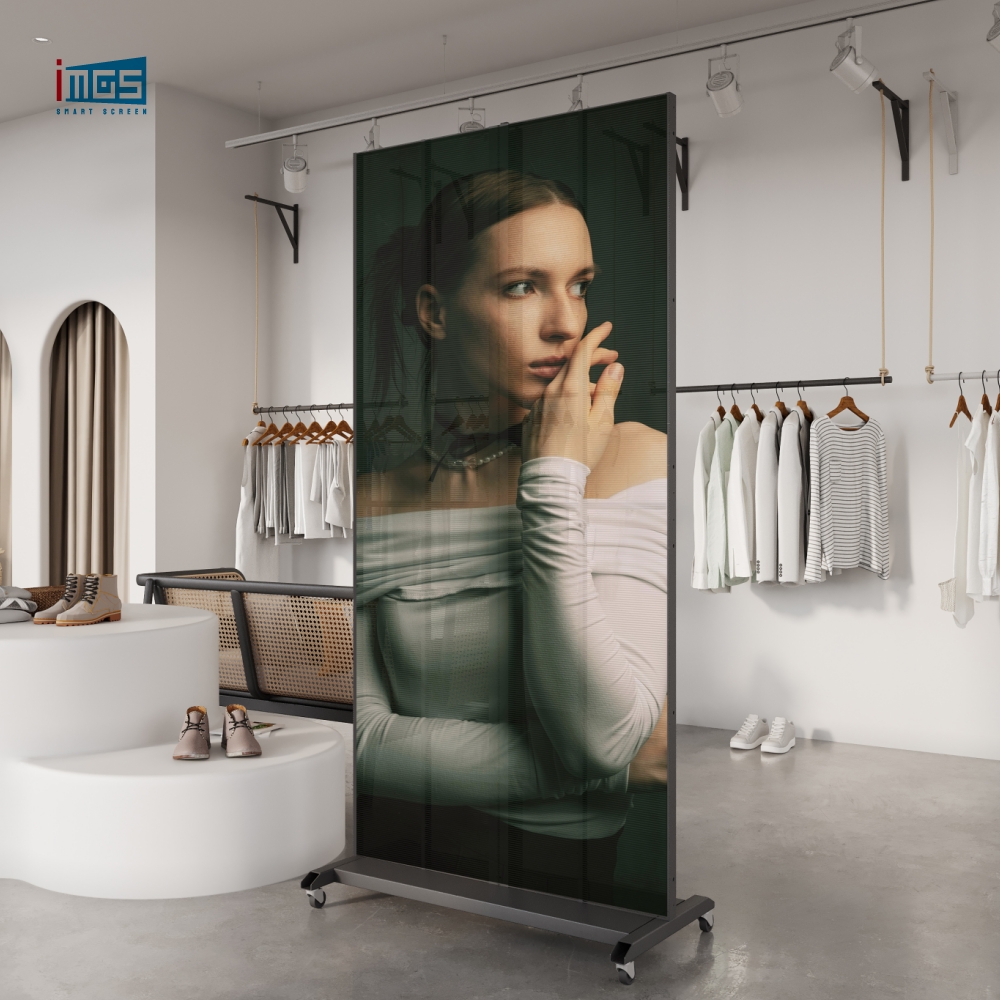
iMGS Large-Format Interactive Screen Camera-ready interactive advertising display · high-memory option · suited to audience-matched content and walk-up self-service in premium retail |
7. A Seven-Question Buying Filter
Before you commit to either path, run your use case through these in order:
1. Is the core job transactional or experiential? Transactional points to a plain terminal; experiential opens the door to AI
2. Can you put a number on the conversion or revenue lift from personalization? If you cannot quantify it, drop the AI
3. How many units? At scale the surcharge compounds fast — does the payback grow with the fleet or stay flat?
4. What do local privacy rules demand once a camera starts capturing faces?
5. Could a cloud recommendation engine deliver the same benefit on standard hardware, sparing you the camera entirely?
6. Does the terminal also need to push promos between transactions? That is a content job, not necessarily an AI one
7. Would the same budget create more value in extra units, brightness, or placement than in AI per machine?
Whichever way you land — a no-frills touch screen kiosk or a camera-driven interactive advertising display — ordering straight from the factory lets you dial in the exact spec the job needs, without a distributor’s markup on capabilities you will never switch on.
Not Sure Whether You Need AI? Ask First, Buy Second. Send us your use case and footfall. We will tell you honestly whether a standard terminal or an AI build fits — and quote both. Write to irenepan@fj-imgs.com or call +86-18850151946 |